Follow our complete step-by-step installation guide to get Jenny Mod running on Minecraft Java Edition and Bedrock Edition. No modding experience required.
The Jenny Mod for Minecraft Java Edition relies on Minecraft Forge as its mod loader. Forge acts as the bridge between the base game and any modifications you want to add, allowing Minecraft to recognize and load custom content like Jenny Mod. This installation method works seamlessly across Windows, macOS, and Linux computers, and the entire process takes roughly five to ten minutes even if you have never modded Minecraft before. Before you begin, make sure you have a legitimate copy of Minecraft Java Edition installed and that you have launched the game at least once to generate the necessary game directories on your system.
Visit the official Minecraft Forge website and download the installer for version 1.12.2. Run the downloaded file, make sure "Install Client" is selected, and verify the Minecraft directory path is correct. Click OK and wait for the success message. If the installer does not open when you double-click it, right-click the file and choose "Open with Java." On macOS, you may need to allow the app in System Settings under Privacy and Security. Remember that you must have launched vanilla Minecraft 1.12.2 at least once before installing Forge, because Forge needs existing game files to install correctly.
Head over to our download page and grab the latest Jenny Mod .jar file for Minecraft 1.12.2. The file should be approximately 15 to 25 MB in size and must retain its original .jar extension after downloading. Do not extract, unzip, or rename the file. If your browser adds a .zip extension or changes the file type during the download, rename it back to .jar before proceeding. Save it somewhere easy to find, like your desktop or downloads folder, so you can quickly move it in the next step.
Now you need to place the Jenny Mod .jar file into the Minecraft mods directory. On Windows, press Win+R and type %appdata%/.minecraft/mods then press Enter. On macOS, open Finder, press Cmd+Shift+G, and type ~/Library/Application Support/minecraft/mods. On Linux, navigate to ~/.minecraft/mods in your file manager. If the mods folder does not exist, create a new folder named "mods" inside the .minecraft directory. Drag and drop or copy the .jar file directly into this folder. Make sure it is not placed inside any subfolder.
Open the Minecraft Launcher and look for the profile dropdown menu in the bottom-left corner. Select the profile labeled "Forge" or "forge-1.12.2" from the list. If no Forge profile appears, the installation may not have completed successfully, and you should revisit step one. Click the green Play button to launch the game. The first launch with mods takes noticeably longer than usual because Forge needs to initialize and register all mod files. Once the main menu loads, click "Mods" to confirm Jenny Mod appears in the list. Create a new world and start exploring everything the mod has to offer.
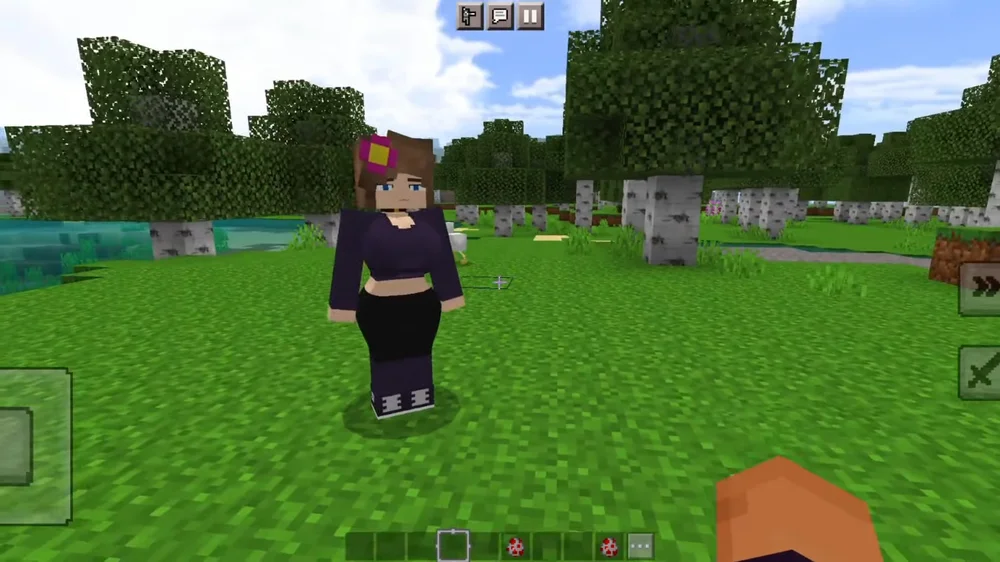
Once Jenny Mod is installed and running through Forge, you will find new interactive NPC companions within your Minecraft world. Jenny and the other characters introduced by the mod feature custom dialogue trees, unique animations, and engaging gameplay interactions that transform the standard Minecraft experience into something entirely different.
The mod integrates smoothly with vanilla Minecraft mechanics, meaning your existing world features, crafting recipes, and survival gameplay remain intact. Jenny Mod adds content on top of the base game rather than replacing anything, so you can enjoy the best of both worlds. If you want to run Jenny Mod alongside other Forge mods for version 1.12.2, simply place those additional .jar files into the same mods folder. Most popular utility and optimization mods like OptiFine are fully compatible and can improve your overall performance while playing.
Minecraft Bedrock Edition uses a built-in addon system that makes importing mods significantly simpler than the Java Edition process. Jenny Mod for Bedrock is distributed as an .mcpack file, which the game recognizes and imports automatically when you open it. This method works on Android smartphones and tablets, iPhones and iPads running iOS, and Windows computers running the Bedrock version of Minecraft from the Microsoft Store. The entire setup takes just a few minutes and requires no external tools or mod loaders.
Visit our download page and download the official Jenny Mod .mcpack file for Bedrock Edition. The .mcpack file contains the behavior pack and resource pack bundled together, so you only need a single download. On Android, the file saves to your default Downloads folder. On iOS, check the Files app or your browser's download manager. On Windows, save it to your desktop or Downloads folder. The file is typically between 10 and 20 MB. Always verify the extension is .mcpack and that your browser has not changed it to .zip during the download process.
Locate the downloaded .mcpack file on your device and tap or double-click it. Your operating system should automatically recognize the file type and offer to open it with Minecraft. Select "Open with Minecraft" when prompted. The game will launch and begin importing the addon, showing a progress notification at the top of the screen. Wait for the confirmation message that says the import was successful. On Android, if the file does not open automatically, use your file manager app to navigate to the Downloads folder and tap the file manually. On iOS, open the Files app, locate the file, and use the share sheet to open it in Minecraft.
Some versions of Jenny Mod for Bedrock include a separate texture pack file that needs to be imported alongside the main addon. If a second .mcpack file is provided on the download page, download and import it using the same method described above. This texture pack ensures all character models, skins, and visual assets render correctly in your game. Without the texture pack, characters may appear with missing textures or placeholder graphics. After importing, go to your world settings and make sure both the resource pack and the behavior pack show as "Active" under their respective sections.
From the Minecraft main menu, tap "Play" and then "Create New" to start a fresh world. Scroll down to find the "Resource Packs" and "Behavior Packs" sections in the world configuration screen. Tap on each section and look for the Jenny Mod packs under the "Available" tab. Activate both packs by tapping them so they move to the "Active" list. Set your game mode to Creative or Survival, enable cheats if you want command access, and toggle any experimental gameplay features if the mod requires them. Tap "Create" to generate your world with Jenny Mod fully active and ready to explore.
Android Users: If the .mcpack file opens with the wrong app, long-press the file in your file manager and select "Open with" to choose Minecraft manually. Some Android devices may require you to rename files from .zip to .mcpack if the browser altered the extension during the jenny mod download. Make sure Minecraft is updated to the latest version available on the Google Play Store before importing any addons.
iOS Users: On iPhone and iPad, the .mcpack file will appear in your Files app after downloading. Tap the file to preview it, then use the share icon to select "Open in Minecraft." If Minecraft does not appear as an option, try restarting your device and ensuring you have the latest version of Minecraft installed from the App Store. iOS sometimes caches file associations, so a reboot can resolve import issues.
Running into problems while installing Jenny Mod? Below are solutions to the four most common issues players encounter during installation. These tips cover both Java Edition and Bedrock Edition scenarios to help you get the minecraft jenny mod working smoothly.
If Jenny Mod does not appear in the Mods list after launching Minecraft with Forge, the .jar file may not be in the correct location. Verify the file is placed directly inside the mods folder and not within a subfolder. Windows sometimes hides file extensions, so what looks like "jenny-mod.jar" might actually be "jenny-mod.jar.zip." Enable file extension visibility in your file explorer settings to check the real extension. Also confirm you are launching with the Forge profile selected in the Minecraft Launcher, not the standard vanilla profile. If everything looks right, re-download the jenny mod file as the original may have been corrupted or incomplete.
Startup crashes are almost always caused by a version mismatch between Jenny Mod, Minecraft Forge, and Minecraft itself. Jenny Mod requires exactly Minecraft 1.12.2 and Forge 1.12.2. Using any other version combination will cause the game to crash during initialization. Remove all other mods from the mods folder temporarily and test with only Jenny Mod installed to rule out mod conflicts. Check the crash log located at .minecraft/crash-reports/ for specific error details. If the log mentions "OutOfMemoryError," you need to allocate more RAM by editing the JVM arguments in your Forge profile to include -Xmx4G instead of the default -Xmx2G.
Missing textures typically appear as pink and black checkerboard patterns on character models, or the characters may be completely invisible with only floating items or shadow outlines visible. This usually indicates a corrupted or incomplete jenny mod download. Re-download the mod file from the download page and replace the existing file in your mods folder. If you are using OptiFine alongside Jenny Mod, disable "Fast Render" in Video Settings under Performance, as this option can interfere with custom entity textures. You can also press F3+T in-game to force Minecraft to reload all textures and resource packs without restarting the game.
If you experience low FPS, stuttering, or lag while playing with Jenny Mod, the most common cause is insufficient RAM allocation. Open your Minecraft Launcher, edit the Forge profile, expand "More Options," and change -Xmx2G to -Xmx4G or -Xmx6G in the JVM arguments. Installing OptiFine alongside Jenny Mod provides significant performance improvements through better rendering optimization. In-game, reduce your render distance to 8-12 chunks, switch graphics from Fancy to Fast, and disable smooth lighting if you are on lower-end hardware. Closing background applications like web browsers and streaming software frees up system resources for Minecraft.
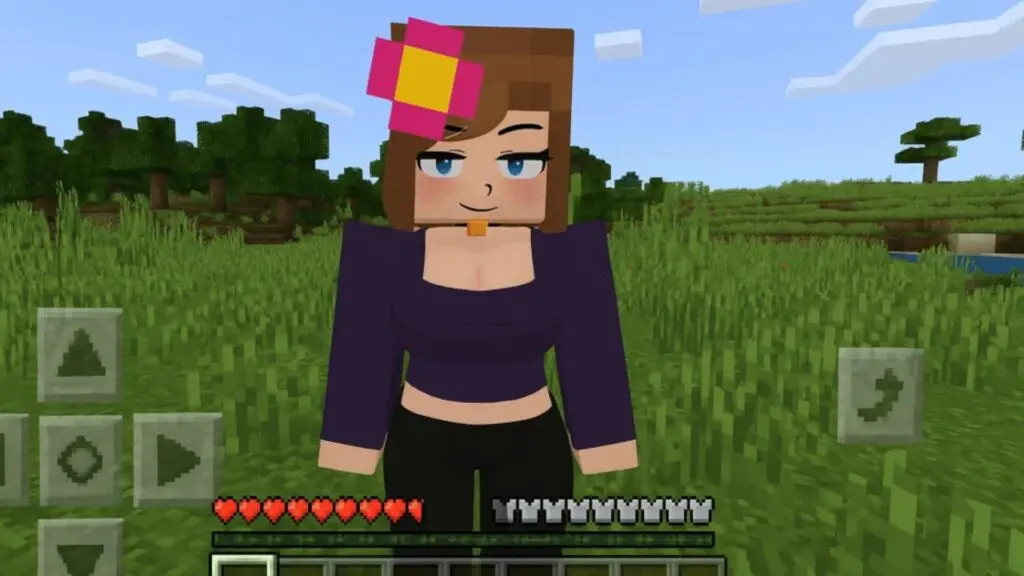
Once you have successfully installed Jenny Mod on either Java Edition or Bedrock Edition, your Minecraft world transforms with new interactive NPC companions that bring a completely different dimension to the gameplay experience. The mod introduces several characters, each with their own personality, dialogue options, custom animations, and unique interactions that go far beyond what standard Minecraft villagers offer.
Jenny, the primary character, features fully voiced dialogue trees and responds to player actions in real time. She can follow you through your world, react to the environment around her, and engage in conversations that change based on your choices. The mod also introduces additional companions, each with distinct visual designs and behavioral patterns that make every encounter feel fresh and rewarding.
Want to learn more about all the characters included in Jenny Mod? Visit our characters page for detailed profiles, including each character's personality traits, special interactions, and tips for finding them in your Minecraft world. Understanding the characters before you play helps you get the most out of the jenny mod minecraft experience from the very first session.
Get answers to the most common questions about installing Jenny Mod for Minecraft. These cover everything from system requirements and compatibility to file management and world setup.
Yes, Jenny Mod is completely free to download and install on both Minecraft Java Edition and Bedrock Edition. There are no hidden fees, subscriptions, or in-app purchases associated with the mod. You can download the official jenny mod files directly from our download page. The only requirement is that you own a legitimate copy of Minecraft for the edition you want to play on. Be cautious of any third-party websites that claim to offer Jenny Mod behind paywalls or survey walls, as the official release is always free of charge.
For Minecraft Java Edition, Jenny Mod requires exactly version 1.12.2 along with Minecraft Forge 1.12.2. The mod is not compatible with newer or older Java Edition versions, and attempting to run it on the wrong version will cause crashes or loading failures. For Minecraft Bedrock Edition (MCPE), the mod works with recent versions of the game on Android, iOS, and Windows. Always make sure your Bedrock Edition installation is updated to the latest available version from your app store before importing the addon for the best compatibility.
On Java Edition, Jenny Mod can run alongside most other Forge mods for version 1.12.2. Popular utility mods like OptiFine, JourneyMap, and JEI (Just Enough Items) are generally compatible and can enhance your overall gameplay experience. However, if you encounter crashes or unusual behavior after adding multiple mods, remove them one at a time to identify which one is causing a conflict. On Bedrock Edition, addon compatibility depends on whether the packs modify the same game resources. You can typically run Jenny Mod alongside other addons as long as they do not alter the same entity types or behavior files.
Yes, you should always remove the old Jenny Mod .jar file from your mods folder before adding a newer version. Having two versions of the same mod in the mods folder simultaneously will cause conflicts and almost certainly result in a crash on startup. On Java Edition, simply delete the old .jar file from the .minecraft/mods folder and place the new file in its place. On Bedrock Edition, go to Settings, then Storage, and delete the old Jenny Mod resource pack and behavior pack before importing the updated .mcpack file. After updating, it is recommended to create a fresh world to ensure all new features load correctly.
Jenny Mod is primarily designed for singleplayer gameplay. On Java Edition, the mod can technically be installed on a Forge-based server, but all players connecting to that server would need the same version of Jenny Mod installed on their client as well. Most public servers do not support Jenny Mod, and attempting to join a vanilla or non-modded server with Jenny Mod installed on your client will not add mod features to that server. For the best experience, we recommend playing Jenny Mod in singleplayer mode where all features function as intended without any network-related complications or limitations.